Kid Pix3D
Modern doodling
Kids are naturally curious. Some grown-ups are too, but that is a rarer occurrence in our time. Anyway, as soon as a child sees what wonderful creations you can make in your CAD application, there's only reasonable to find a way to allow the young ling to experiment with digital art creation.
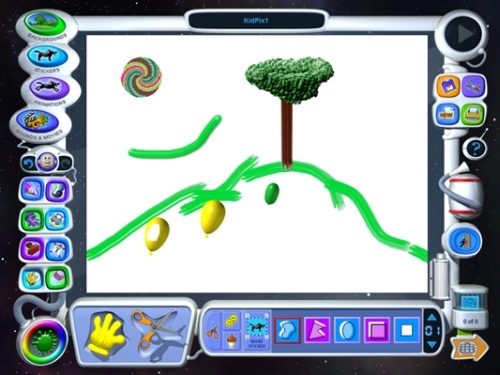
Here it is:
Kid Pix 3D is not a game. It is has tools for drawing, painting, stamping and more. Every action is accompanied by a specific sound whether that is describing a dash of color or pressing a button. Changing tools is a bit slow as the newly selected tool does not become ready until an animation shows the old tool being put back in its slot and the new one being picked up. Ah well, let's hope your child is patient enough. Seeing these animations can be interesting for a while but can become a nuisance rather quickly.
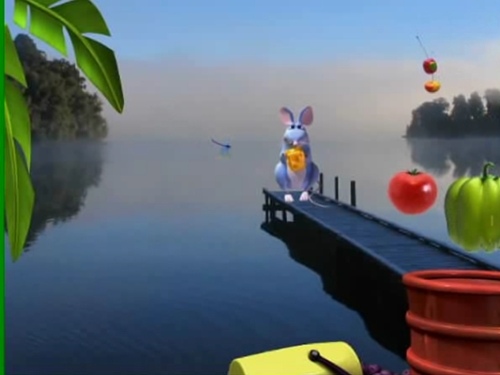
Right, besides painting and spraying, Kid Pix can also do animations. Do you think that little ones can't handle that? Don't worry, because animating here is as easy as jumping rope. There's a lot of movement going on anyway. From animated painting tools to pre-rendered 3D characters and objects that can move along a set path. Moreover, besides the fairy tale type backgrounds, Kid Pix also features filmed backgrounds of all sorts.
Drawing can also be transformed into an animation by using slides. Every time after you do a change to your project such as adding an object, drawing or deleting something, you have the opportunity to save it by pressing the Flipbook button. If you do that diligently enough, you will be able to review your work just like flipping a story book.
In contrast to the previous versions of Kid Pix, Kid Pix 3D has made a leap in recreating its elements in pre-rendered 3D. This has improved the clarity a lot but characters and backgrounds lost a bit of their charm unfortunately.
Probably the most effective feature of Kid Pix for showing off at family gatherings is the video narration. After recording a video clip, you can import it, crop it, and insert it into the scene under the guise of a talking head. This way you can have your kid tell the story that is unfolding on the screen. Isn't that nice?
Features
- Painting tools
- Layered and filmed backgrounds
- Pre-rendered character animations
- Path animations
- Flipbook
- Anaglyph 3D effect (3D glasses included in full package)
- Video narration
Conclusion
All in all, Kid Pix is simply wonderful for creating imaginative drawings and flip books. As a basis, children can begin by using the drawing and painting tools and then explore the other features as they become confident enough.
